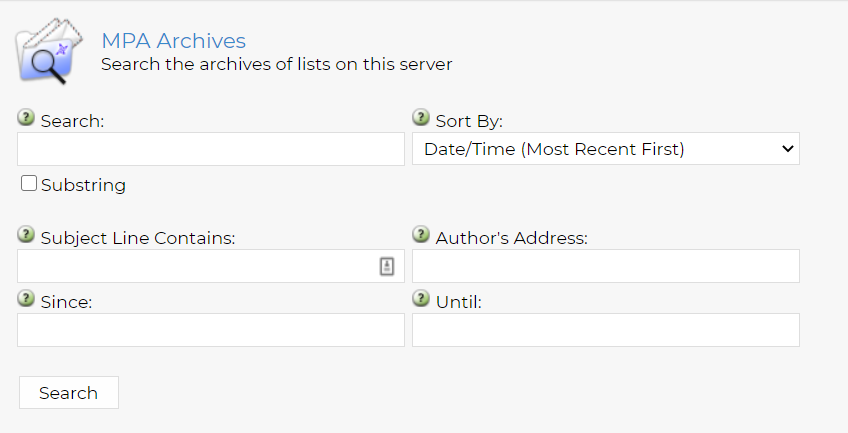
Accessing Listserv Archives
The archives for the MPA listserv contains years of postings full of useful information! With a few quick steps, you can read and search the archives.
Step 1
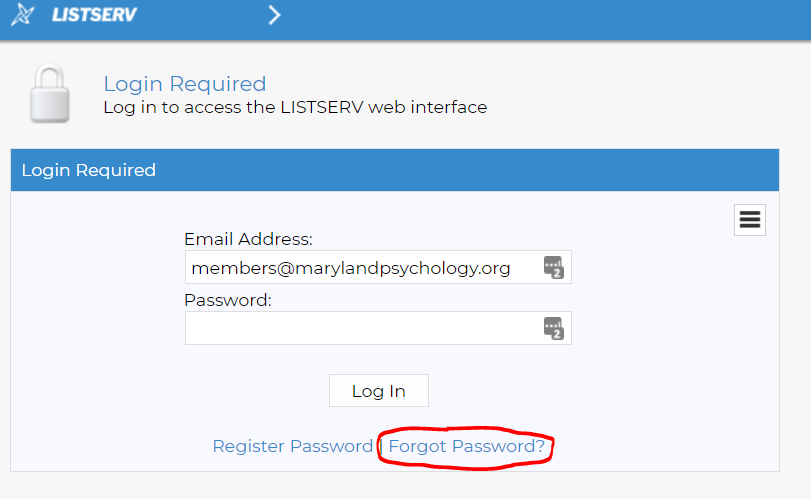
Step 2: Log In
Note: this is not the same as your MPA username and password. If you've never used the archives before, you may need to set up a username and password (red circle below). The site will guide you through the process. If you're not currently on the MPA listserv, email jholmes@marylandpsychology.org to be added.
If you are not automatically directed to the MPA listserv archives, browse the alphabetical list of listservs for "MPA" or click this link to be taken to the archive.
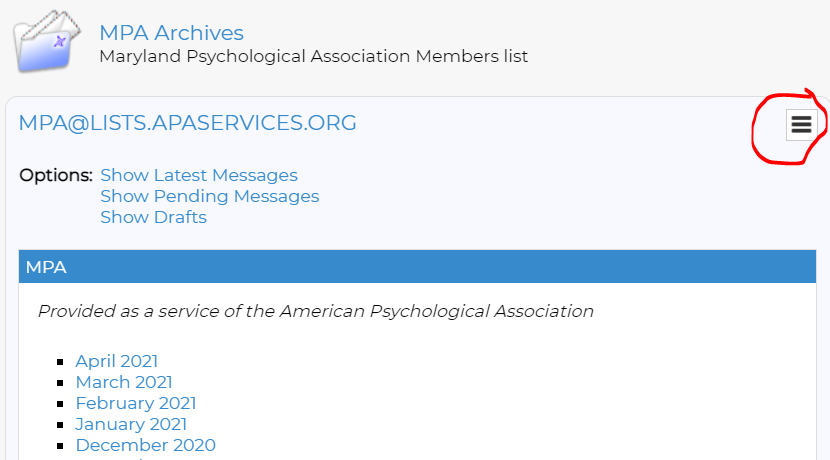
Step 3: Browse by month and year.
The archives are listed by month starting with the current month. For a more specific search, click the icon circled below in red.
Step 4: Search the archives.
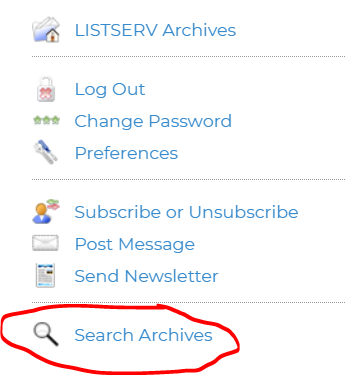
Clicking on the icon will make this menu appear. Choose "Search Archives" at the bottom of the list.
Step 5: Put in Keyword
Now you can put in keywords such as a city, speciality or topic and it will search the archives for all mentions of it.